Export to JPEG
This feature allows you to generate and download a high-resolution JPEG image of the current site topology. This is ideal for documentation purposes, offline reports, or sharing the network design with third parties.
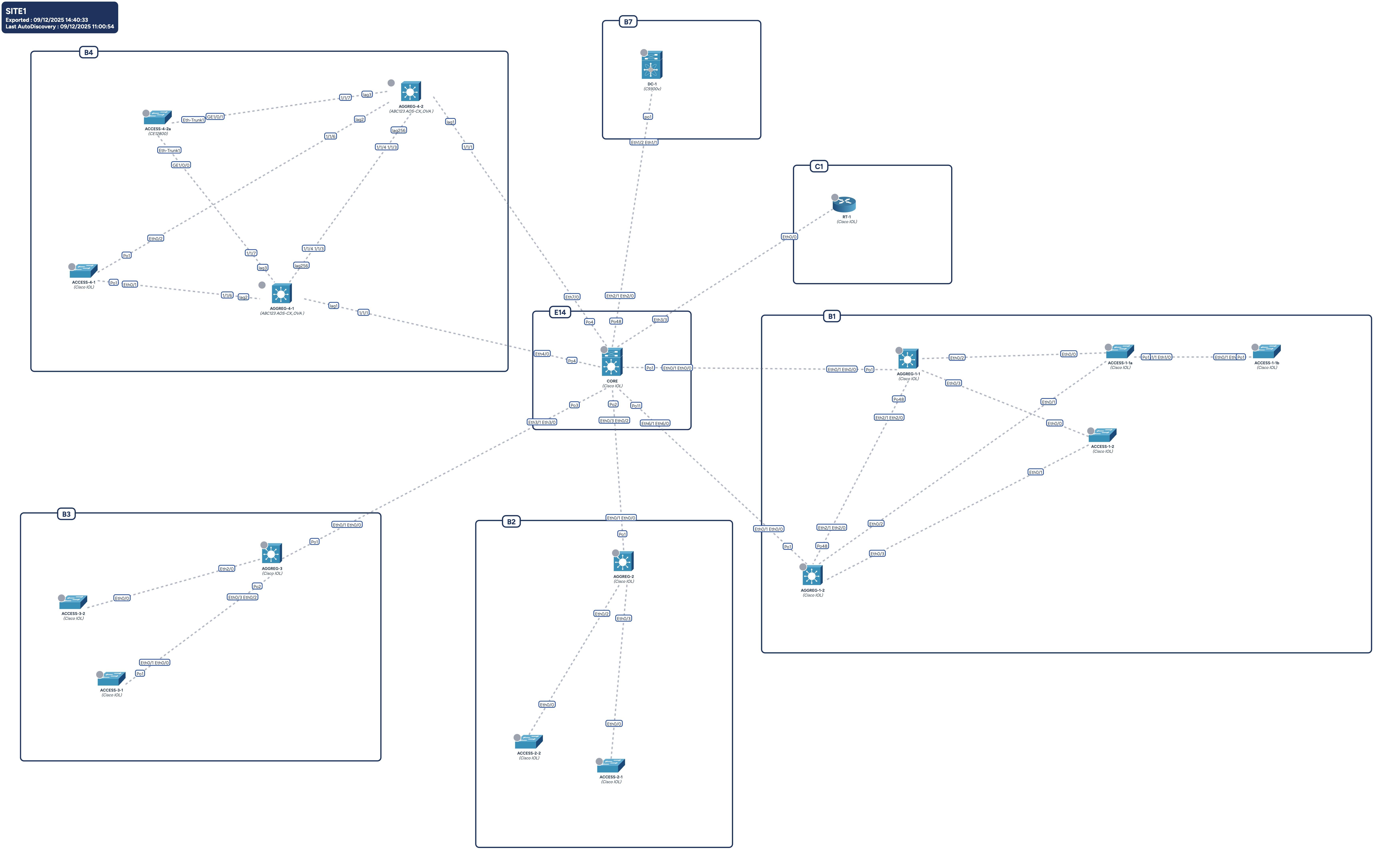
Preparation
The export engine captures the active layers of the map. Before launching the export, ensure the view is configured exactly as you want it to appear in the image.
- Customize the view: Use the Display Settings and View Layers (dropdowns in the top bar) to show or hide specific elements:
- Physical / Logical links
- Device icons
- Hostnames
- Connectors
- Redundancy groups
Export Process
- Click Export to JPEG in the sidebar.
- A generic loading screen ("Generating your file") will appear.
- Depending on the size of the site and the complexity of the topology, this process may take a few seconds.
- The file is automatically downloaded to your computer once ready.
Output Details
The generated image includes the entire topology canvas.
Metadata Badge: Avalon automatically adds a fixed information badge in the top-left corner of the image containing: - Site Name - Export Date - Last AutoDiscovery Date
Layout Tip: Avoid the Top-Left Corner
The metadata badge is fixed and opaque. It cannot be moved or hidden.
To prevent this badge from obscuring parts of your network, we recommend arranging your topology so that no devices or important links are positioned in the extreme top-left area of the canvas before exporting.