Configurations backup
This section allows you to configure access to a distant server where Avalon will store configuration backups. Each entry defines how Avalon connects to the remote host and where the backup files will be written.
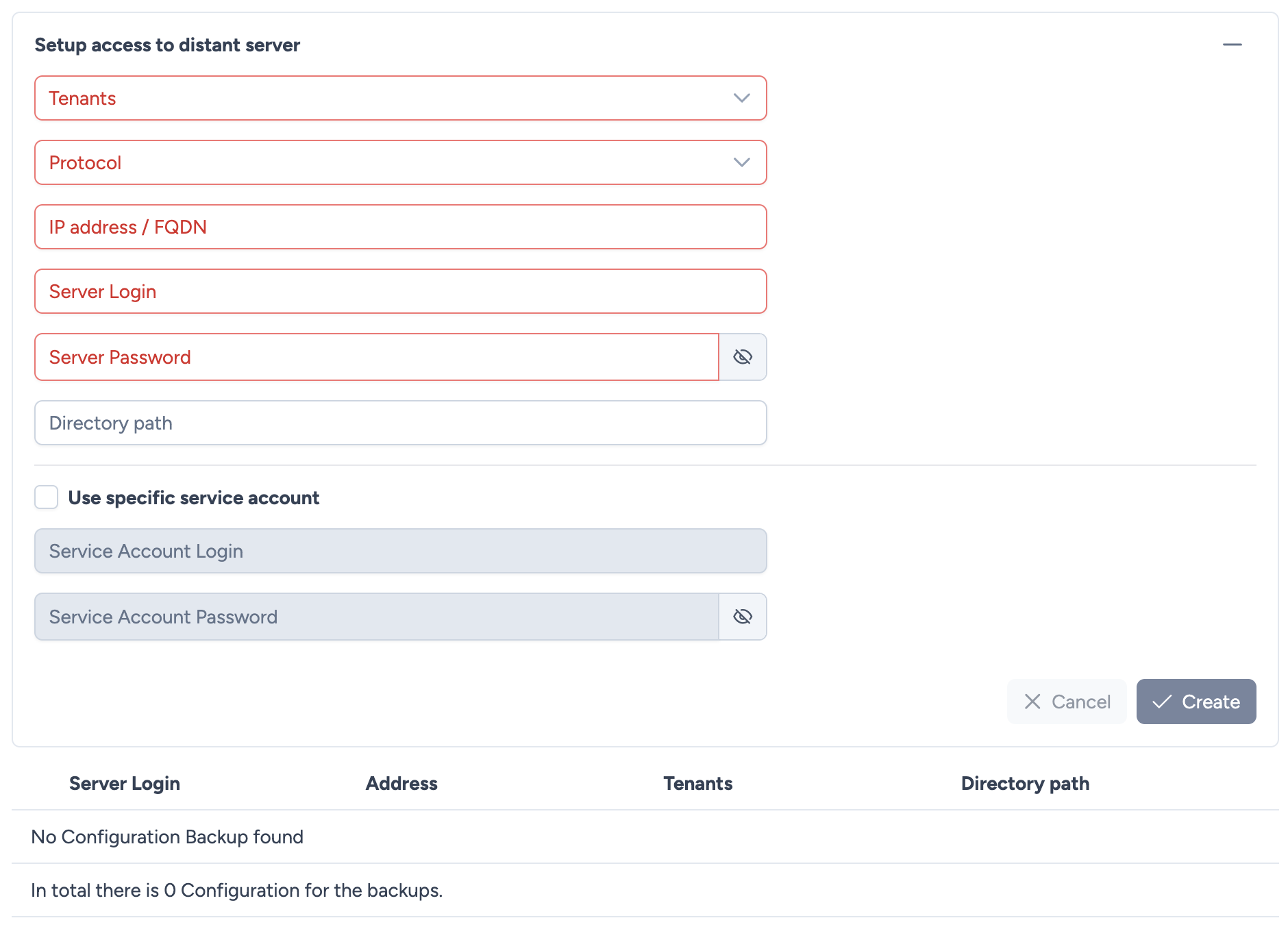
Configuration parameters
To create a new backup configuration, the following parameters must be provided:
- Tenants: Selects which tenants the backup configuration applies to.
- Protocol: The protocol used to reach the distant server.
- SFTP
- CIFS/SMB
- IP address / FQDN: The target server’s hostname or IP address.
- Server Login: The username of the remote server account used to perform the backup transfer.
- Server Password: The password associated with the server login.
- Directory path: The folder on the remote server where Avalon will store the configuration backup files.
Dedicated Service Account:
You can specify a dedicated Service Account that will be used to connect to the network devices only for backup operations. These credentials will be used instead of the main Service Account.
- Use specific service account: Checkbox to enable this feature.
- Service Account Login: The dedicated login for backup operations.
- Service Account Password: The dedicated password.
Actions
- Cancel: Discards the current entry.
- Create: Validates and saves the configuration.
Existing Configurations
Once one or more configurations are created, they appear in a table showing the following details:
- Server Login: The account used for the transfer.
- Address: The remote server address.
- Tenants: The tenants covered by this configuration.
- Directory path: The storage location on the server.
Info
Each tenant can have its own backup configuration, allowing backups to be separated or stored on different servers depending on operational needs.