Avalon overview
Avalon is a modular network automation platform. It consists of several components that work together to provide a seamless user experience, and it can be deployed using different installation options depending on your environment.
Avalon's components
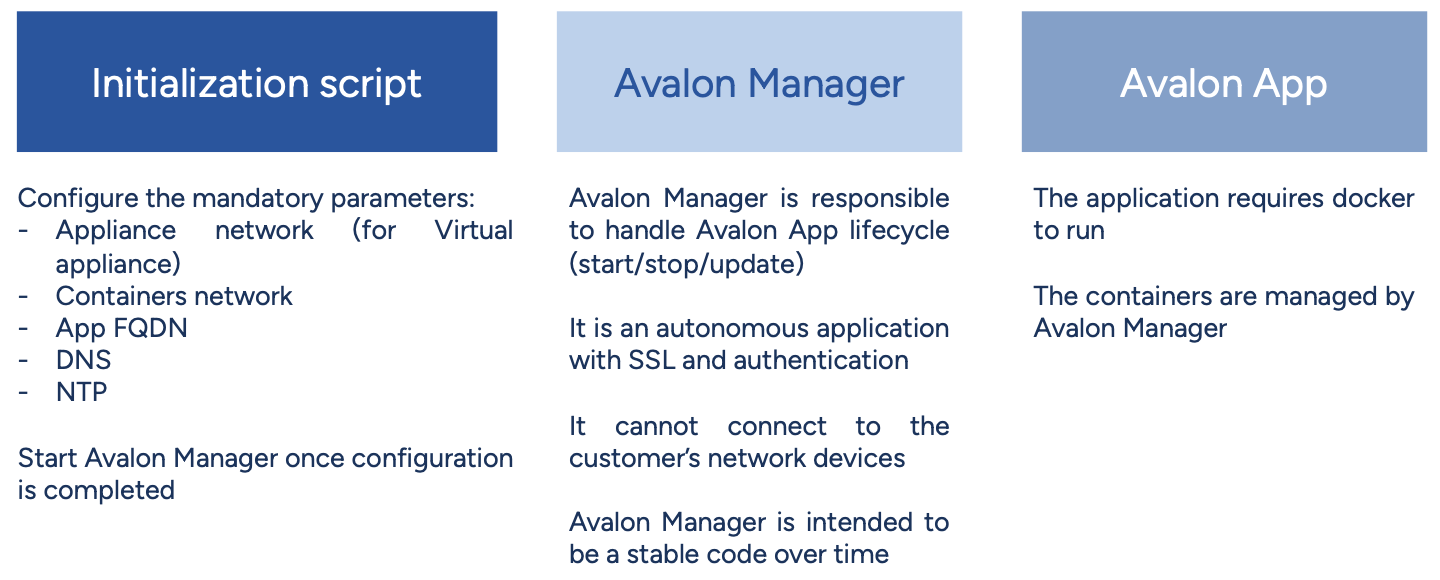
Avalon has three main components common to all installation types:
- Initialization script: Sets up all data required by both Avalon Manager and Avalon App. It also configures network services on the Virtual Appliance (VA) or Virtual Machine (VM).
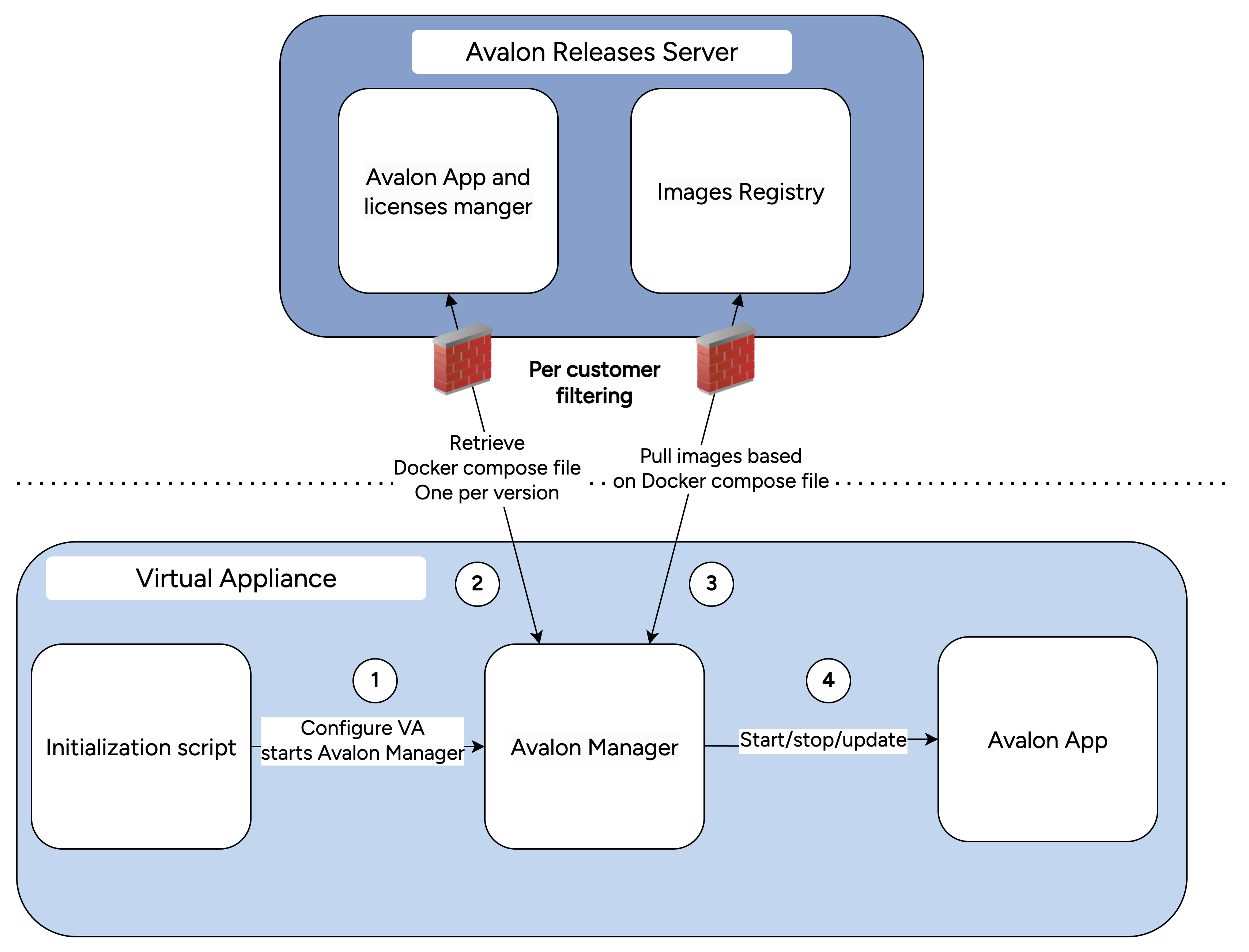
- Avalon Manager: A standalone application that manages Avalon’s main application lifecycle. It retrieves releases, starts/stops/restarts Avalon, and allows manual upload of new releases in closed environments.
- Avalon App: The core of Avalon, our state-of-the-art platform for network management and automation.
Note: In the following text and diagrams, "Virtual Appliance" refers to any installation option, as the user experience is identical across deployment types.
Components overview
Installation options
Avalon supports two deployment options:
Virtual Appliance
A ready-to-use Virtual Appliance is provided, compatible with your hypervisor.
- Current availability (Fall 2025): VMWare OVA.
- Other formats: Available upon request.
Virtual Machine
For certain customer environments, a custom Virtual Machine may be required.
- Preparation: Use our Ansible playbook to configure your VM according to Avalon’s requirements.
- Prerequisites: Ansible and Docker must be installed on your VM.
- Alternative: If prerequisites cannot be met, we provide a ready-to-use tar archive with all required packages and a setup script for your VM.
Note
Once the initial setup is completed, whether using the Virtual Appliance or the Virtual Machine, the user experience for managing all Avalon components is identical.