Tenants
A tenant is a logical container that allows you to create management scopes for your networks.
There are two main goals:
- Allow selected users to have a complete view of the network and restrict access for others.
- Allow MSPs to manage several customers' networks independently within the same Avalon instance.
Not all resources are dedicated to a tenant. Here is a list of per-resource scopes:
| Resources | Scope |
|---|---|
| Sites | Single-Tenant |
| Devices and related network services | Single-Tenant |
| ConfigBackup server | Multi-Tenant |
| Custom services | Global |
| SMTP server | Global |
| LDAP server | Global |
| Vendor | Global |
| Device families | Global |
| Device models | Global |
| Device images | Global |
| Interfaces list | Global |
Note
We are open to changes in some resource scopes if needed. Please contact our team.
Configuration parameters
The following information is required to define a new tenant.
Mandatory information:
- Name: A mandatory name for your tenant.
- Service account login: Avalon supports a single service account to connect to devices for read/write tasks.
- Service account password: The service account password.
- Confirm password: Confirmation of the service account password.
Optional information:
- User account for WebSSH: You can use a specific user account to connect to a device via the integrated WebSSH client.
- External APIs: Avalon can use external APIs as an initial source of truth for the AutoDiscovery process.
Source(s) of Truth (SoT) configuration
The Site AutoDiscovery feature requires a devices inventory as of Fall 2025.
Avalon supports several SoT. You can configure as many as you want but only one will be used during an AutoDiscovery process.
Netbox configuration
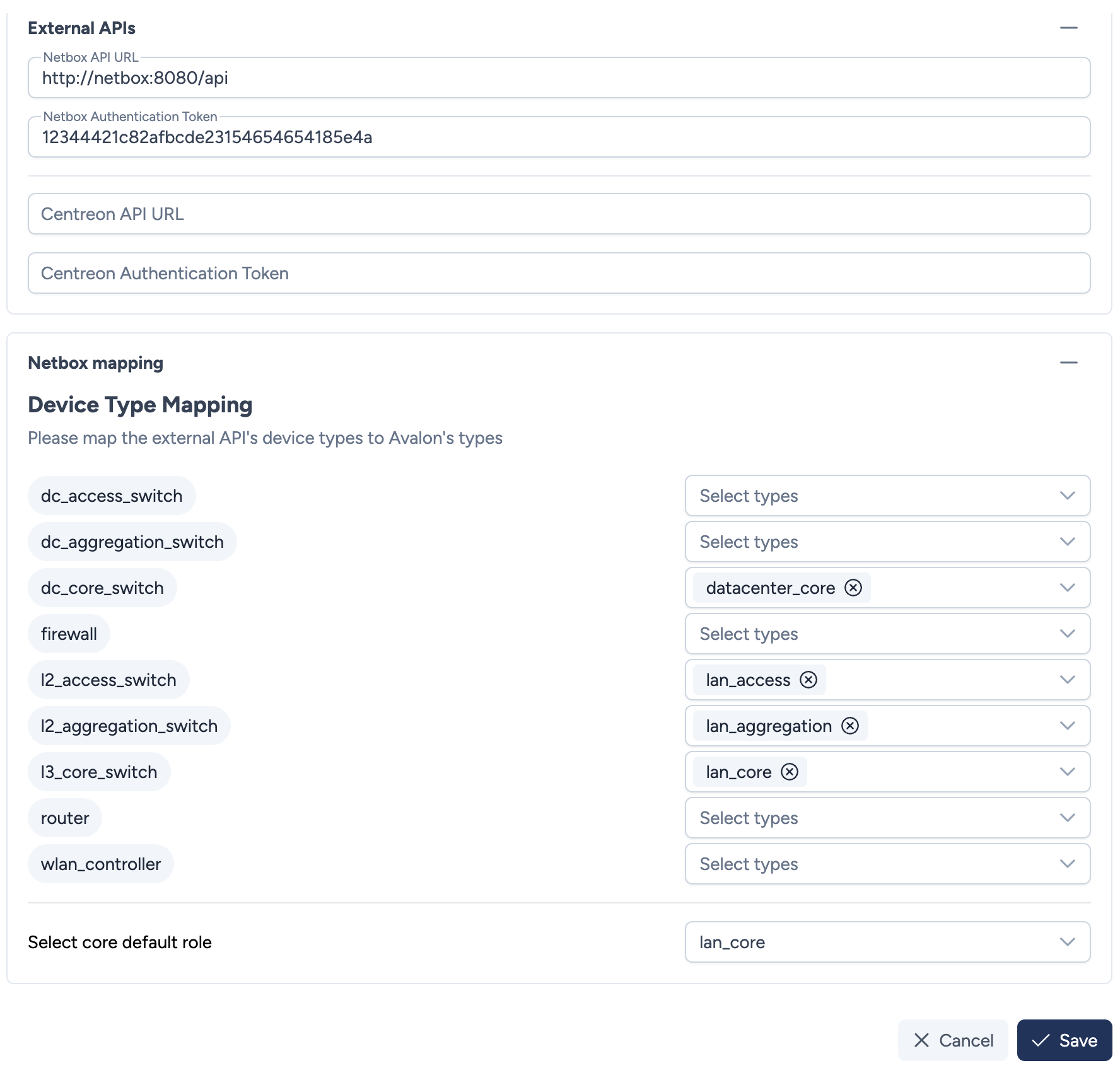
Our Netbox integration requires the following parameters:
- Netbox API URL: The full URL to access your Netbox instance API.
- Netbox Token: The authentication token generated in Netbox.
Mandatory input
When you create a site later on in Avalon, you must use the same name (not case sensitive) as defined in Netbox because it will be used in the API call.
Netbox allowed IP addresses
Be sure to allow Avalon Virtual Appliance IP address to access Netbox.
Mapping logic:
Once you have configured both mandatory information, you will be able to create a mapping between Avalon's device types and Netbox's device roles:
- This mapping will be applied automatically when the AutoDiscovery process uses Netbox as its inventory source.
- The mapping will allow Avalon to discover only the devices that you want to manage (e.g., excluding printers, firewalls, load-balancers, WiFi APs, etc.).
- The mapping is 1:N meaning that you can map an Avalon device type to several Netbox roles.
- You shall also define a default Netbox role for the core device(s) of your sites. We use the core devices to center the network topology in the site diagram.
Roadmap
As of Fall 2025, you cannot manage Avalon's device types directly, but they can be made available if needed.
Centreon configuration
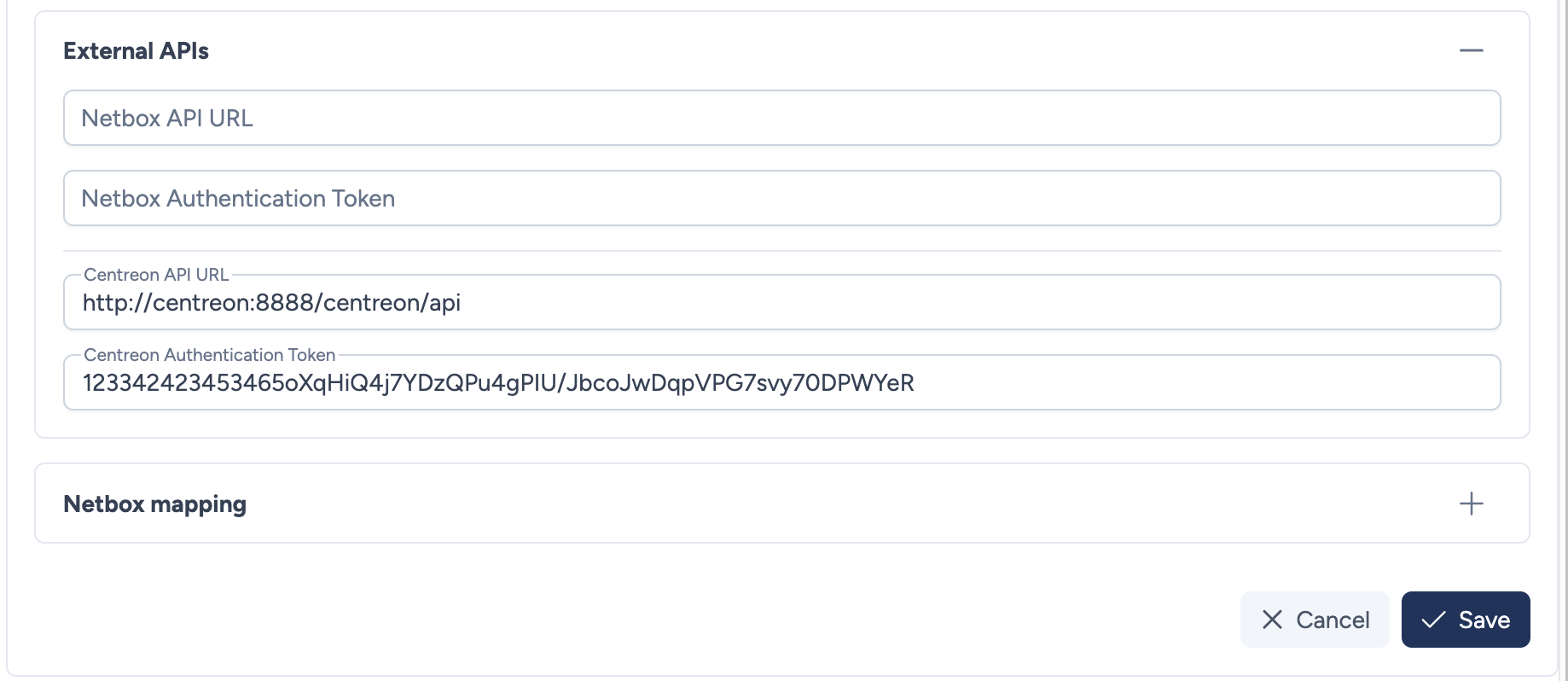
Our Centreon integration requires the following parameters:
- Centreon API URL: The full URL to access your Centreon instance API.
- Centreon Token: The authentication token generated in Centreon.
Mandatory input
When you create a site later on in Avalon, you must use the same name (not case sensitive) as defined in Centreon because it will be used in the API call.
Roadmap
As of Fall 2025, there is no mapping between Avalon's device type and Centreon datamodel.