Users
This page allows you to manage the accounts used to access the Avalon application. Users can be of type Local (managed directly in Avalon) or can be imported from an external LDAP/Active Directory server.
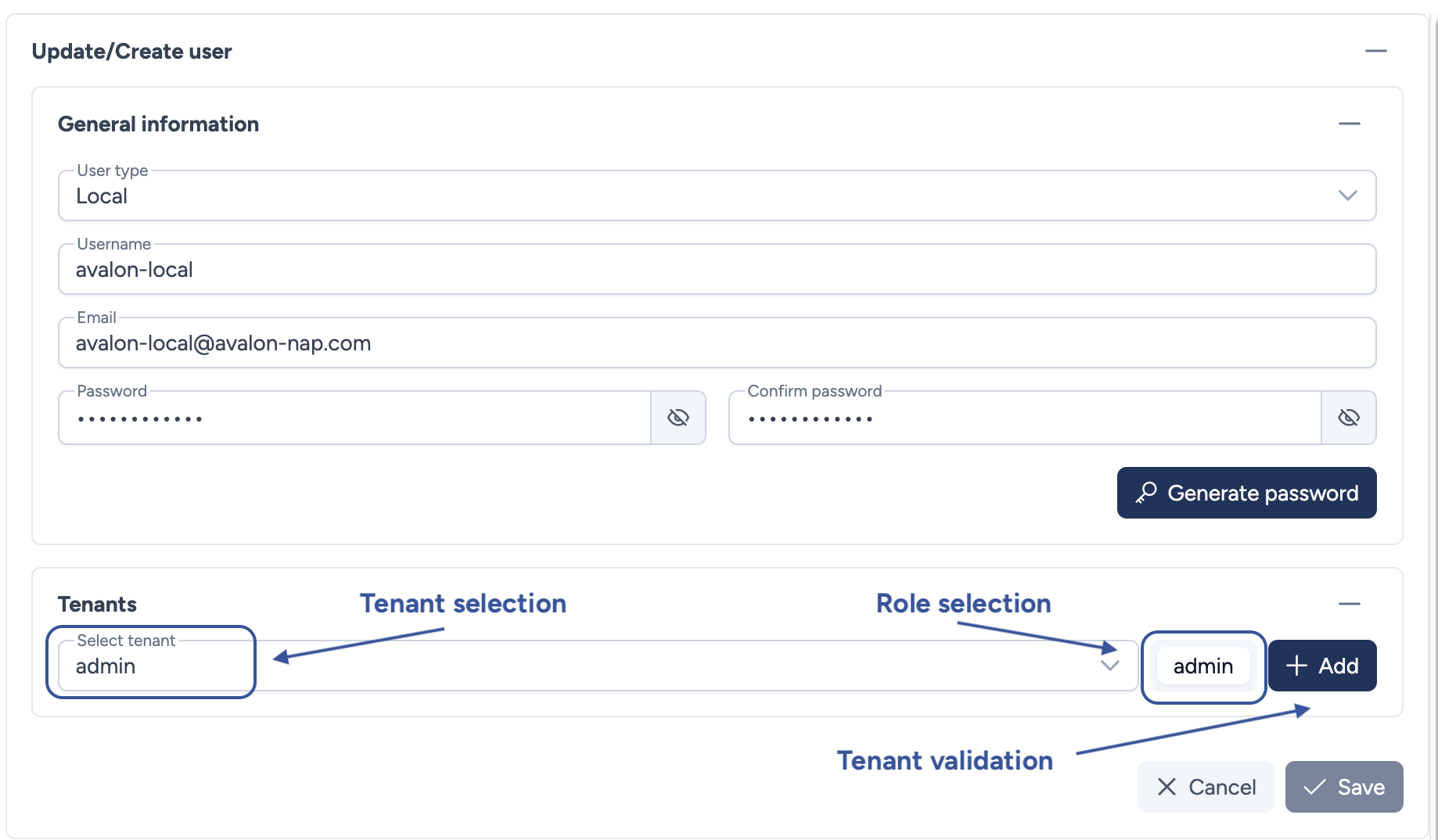
Configuration parameters
This section covers the information required to create or update a user account and assign privileges.
- User type: Defines the origin of the account:
- Local (internal to Avalon)
- LDAP (external authentication)
- Username: The unique identifier used for login. Must be unique across all user types.
- Email: The user's email address.
- Password: The account password. Mandatory for Local users.
- Confirm password: Confirmation of the password.
- Tenant selection: Select the target tenant from the dropdown menu (e.g.,
admin) to define the management scope. - Role selection: Select the appropriate role (e.g.,
admin,guest) to determine permissions within that tenant. - Tenant validation: Click Add to finalize the assignment. A user can have multiple assignments.
Password Generation
You can use the Generate password button to automatically create a strong, secure password.
Actions
- Cancel: Discards all changes and returns to the user list.
- Save: Validates and saves the user account.