Display settings
This feature allows you to overlay specific network data on top of the topology map. This is particularly useful for auditing network segmentation and verifying configuration consistency across the site.
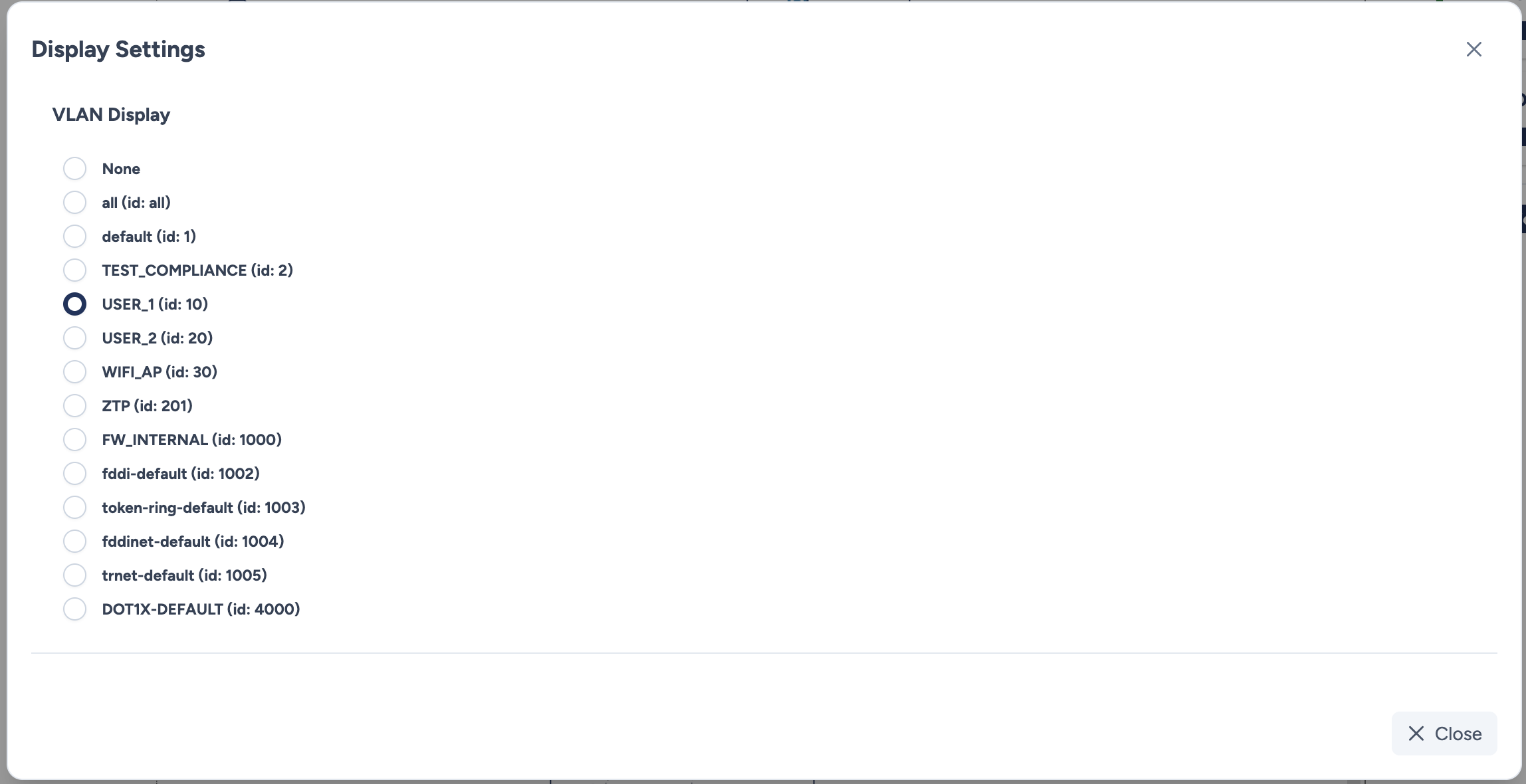
Roadmap
Currently, only VLAN visualization is supported. Future updates will include overlays for IP Addresses / VRF, Spanning Tree Protocol (STP), and other routing information.
Configuration parameters
VLAN Display
The list displays all VLANs discovered on the site, including their ID and Name.
- VLAN Selection: Select a radio button to activate the overlay for that specific VLAN.
- None: Select this option to remove all data overlays and return to the standard view.
Visualization results
Once a VLAN is selected, the topology map updates in real-time to reflect the configuration status.
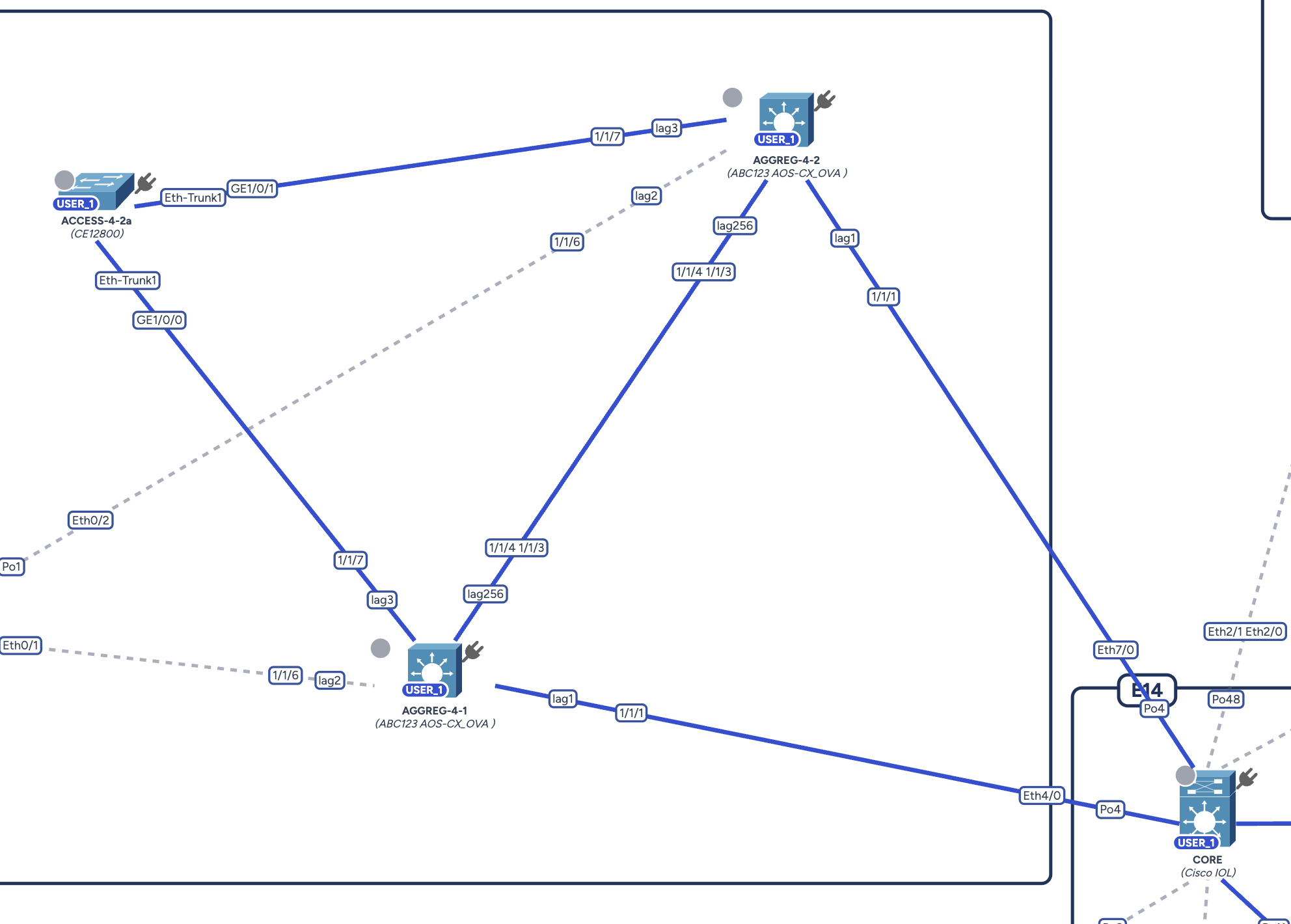
Visual indicators:
- Device Badge: A blue badge containing the VLAN name (e.g.,
USER_1) appears on top of a device icon if that VLAN is globally configured on the equipment. - Link Coloring:
- Blue Link: The connection is colored blue if the VLAN is symmetrically configured and propagated on both sides of the link (e.g., allowed on the Trunk ports at both ends).
- Gray/Dotted Link: The link remains in its default state if the VLAN is not present or if the configuration is incomplete/asymmetric.
Actions
- Close: Closes the modal and applies the selected overlay to the canvas.